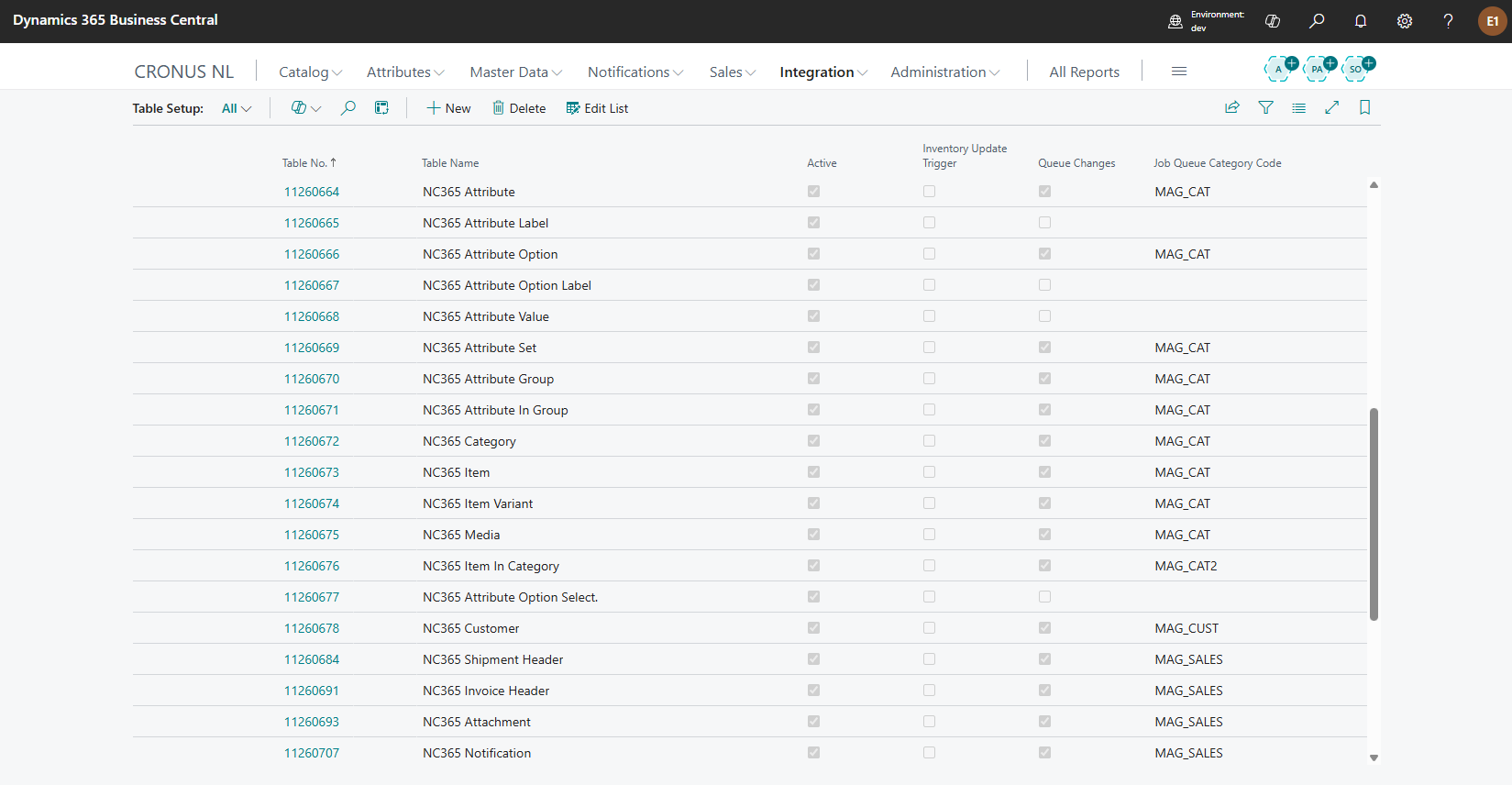
The Table Setup page lists the Business Central tables that Commerce 365 for Magento monitors. Each table you want to synchronize must be registered here with the appropriate settings. Typical entities include NC365 Item, NC365 Category, NC365 Customer, NC365 Attribute, NC365 Inventory Per Location, and many others.
Configuration
While installing the extension, the list of tables gets populated with its default tables and settings.
For each entity you can configure:
- Whether it is Active (monitoring enabled).
- Whether detected changes should be placed in the queue (Queue Changes).
- Which operations to monitor (Monitor Insertions, Modifications, Deletions, Renames).
- A optional Job Queue Category Code to assign the entity to a specific job queue entry.
- A Priority that controls synchronization order. Lower values sync first, ensuring dependencies are respected (e.g., attributes before items, items before media).
- Inventory Update Trigger setting to recalculate inventory when records change in tables like Item Ledger Entry.